
Initially, your JobMount job board manager creates your personal admin user and provides you with your login and password.
If you need to create additional users and give them access to the admin panel, navigate in admin to
Users
1. Supply data for following fields:
- Login
- Password
Click Add New User button.
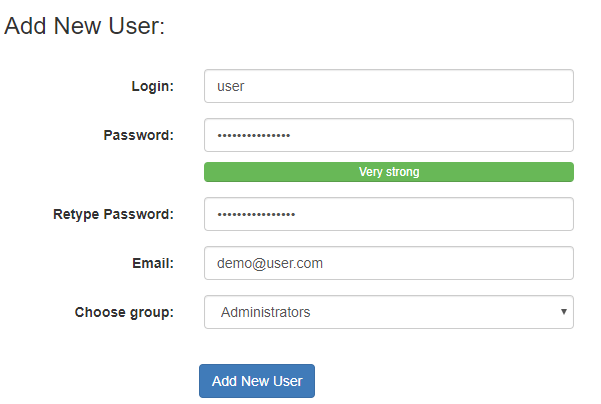
2. If you want to edit any existing user by changing their email address, name or password click their name in the Users list. Edit required field and click Submit Changes
Notes:
System validates password strength. If your password is too weak, system will not let you create such user. Please make sure your password includes at least 8+ symbols, including mixed uppercase and lowercase letters, digits, etc.
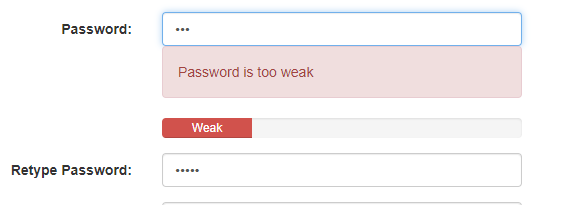
There are some substantial risks for your job board in using “weak” passwords for admin users:
- Candidate resume data can be stolen
- Job board essential configurations deleted
- Payment system reconfigured to different account
Some simple steps to help your cyber security:
- Avoid using the same password over and over again on different websites
- Avoid information about the user or a common and often used words
- Avoid matching password (or part of it) with user name or site domain or email
- Don’t use easily recognizable patterns (i.e, “12345”, “qwertyuiop”, “1qaz2wsx”, “poiuyt”, etc)
- Use passwords or passphrases of eight characters or more with mixed types of characters
- Use a password manager to organize and protect, generate random passwords